LCD vs OLED Phone Screens: What's the Difference

If you’ve cracked your phone screen and started looking into replacement options, you’ve probably run into the terms LCD and OLED. They’re the two main display technologies in modern smartphones, and the type your phone uses affects the repair, the cost, and the quality of the result. We’ll break down what each one is, which type your phone has, and what to expect when you’re getting your screen replaced.

The Short Version

Phones
LCD (Liquid Crystal Display)

Older display technology, still used in budget phones and older iPhone models. Uses a backlight to illuminate the screen. Cheaper to manufacture, decent quality, but blacks are never truly black because the backlight is always on.

OLED
OLED (Organic Light Emitting Diode)

Newer technology used in most flagship phones today. Each pixel produces its own light, so blacks are pure black, colors are richer, and contrast is much higher. Costs more, but the visual quality is noticeably better.

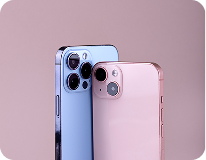
“If your phone came with an OLED screen from the factory, you should replace it with OLED. Putting an LCD in a phone designed for OLED works, but you lose the visual quality the phone was built for. We’ll explain why below.”

How LCD Screens Work

LCD screens have a layer of liquid crystals sandwiched between two pieces of glass, with a backlight behind them. The backlight is always on when the screen is on. The liquid crystals twist to let different amounts of light through, which creates the image you see.

Phones that originally shipped with LCD screens were designed around these tradeoffs. An LCD replacement on an LCD phone is the right call.

How OLED Screens Work

OLED screens are different. Instead of a backlight illuminating liquid crystals, each individual pixel produces its own light. When the screen needs to show black, those pixels just turn off completely. That's why OLED blacks look pure black, the pixels really aren't emitting any light.

Phones with OLED screens are built around these qualities. They depend on the OLED panel for True Tone, ProMotion, always-on display, and accurate color reproduction.

Which Type Does Your Phone Have

Here’s a breakdown of common iPhone models and which display technology they originally shipped with.

iPhone 16
iPhone 8 and 8 Plus
iPhone 16
iPhone 7 and 7 Plus
iPhone 16
iPhone 6, 6s, 6 Plus, 6s Plus
iPhone 16
iPhone SE (1st, 2nd, and 3rd generation)
iPhone 16
iPhone XR
iPhone 16
iPhone 11

If you have one of these, your phone originally came with an LCD display. An LCD replacement is the appropriate repair.

iPhone 16
iPhone X, XS, XS Max
iPhone 16
iPhone 11 Pro and 11 Pro Max
iPhone 16
iPhone 12 series (all models)
iPhone 16
iPhone 13 series (all models)
iPhone 16
iPhone 15 series (all models)
iPhone 16
iPhone 16 series (all models)

These phones have OLED displays from the factory and should be repaired with OLED.

Android Phones
rightcircle

Should You Replace OLED with LCD to Save Money

This is the question most customers ask, and the honest answer is: usually no.

We sometimes get customers who want to put an LCD replacement screen in an iPhone that originally had OLED, hoping to save money on the repair. We do this when customers insist, but we’re upfront about what they’re giving up:

What you lose with LCD on an OLED phone:

True Tone stops working

True Tone adjusts the screen's color temperature based on ambient lighting. It depends on the OLED panel's specific color characteristics. LCD replacements break this feature.

Color accuracy drops noticeably

Photos look slightly off. Whites can look yellow or blue instead of pure white. The difference is most visible side-by-side with the original.

Contrast
Contrast becomes much lower

Blacks look gray. Dark scenes in movies and games look washed out.

Battery
Battery drain can increase

OLED phones save power displaying dark UIs because dark pixels are literally off. LCD always has the backlight running, so dark mode no longer saves battery.

Brightness
Brightness levels and behavior differ

from what you're used to.

display work
Always-on display may not work

depending on the phone.

True Tone stops working

True Tone adjusts the screen’s color temperature based on ambient lighting. It depends on the OLED panel’s specific color characteristics. LCD replacements break this feature.

Color accuracy drops noticeably

Photos look slightly off. Whites can look yellow or blue instead of pure white. The difference is most visible side-by-side with the original.

Contrast
Contrast becomes much lower

Blacks look gray. Dark scenes in movies and games look washed out.

Battery
Battery drain can increase

OLED phones save power displaying dark UIs because dark pixels are literally off. LCD always has the backlight running, so dark mode no longer saves battery.

Brightness
Brightness levels and behavior differ

from what you’re used to.

display work
Always-on display may not work

depending on the phone.

The phone still works as a phone. Calls, texts, apps all function normally. But the visual experience is downgraded.

For most customers, the cost savings aren’t worth the daily reminder that the screen isn’t as good as it used to be. We recommend OLED replacement on phones that came with OLED.

When Does LCD Make Sense

There are situations where an LCD replacement on an OLED phone is the right call:

We’ll never push you toward the more expensive option just because it’s more expensive. We’ll tell you what each option costs, what you’re getting, and let you decide.

How We Handle Both Options

For iPhone repairs, we use genuine Apple OLED screens for phones that originally came with OLED. This is our standard recommendation because it preserves True Tone, Face ID compatibility, color accuracy, and everything else the phone was designed for. For iPhone models that originally had LCD (iPhone 11, XR, SE series, and older), we use quality LCD replacements.

For Android repairs, we use OEM-quality OLED or AMOLED replacements for flagship Samsung Galaxy, Google Pixel, OnePlus, and other OLED phones. For Android phones with LCD displays, we use quality LCD replacements.

If you have an OLED phone and want to compare costs between OLED and LCD replacement, give us a call at +1 505-336-1907. We’ll quote both, explain the tradeoffs, and let you choose.

OLED and LED

Common Questions About LCD vs OLED

Can a phone be permanently damaged by installing the wrong screen type?

No, the phone itself isn’t damaged. The replacement just doesn’t perform as well as the original screen technology. Switching back to the correct type later restores full quality.

Face ID can still work with an LCD replacement, but performance can be inconsistent. The face recognition system depends on multiple sensors, some of which sit behind the display. With a quality replacement screen and proper installation, Face ID usually works, but it’s another reason to stick with the original screen type when possible.

Technically yes, but it’s expensive and the phone’s software isn’t tuned for OLED. We don’t typically recommend this swap.

Look at a completely black image on the phone in a dark room with the brightness turned up. OLED screens show pure black with no light coming through. LCD screens show a slight gray glow because the backlight is still on.

Functionally yes, from a customer perspective. AMOLED is Samsung’s specific implementation of OLED with active-matrix technology. The visual experience and repair considerations are essentially the same.

Display quality is a major selling point. Apple moved to OLED to support True Tone, ProMotion (high refresh rate), better HDR support, and thinner phone designs. Once a phone is built around OLED, replacing with LCD breaks those features.

Get Your Screen Repaired the Right Way

Stop by the shop or call ahead to get a quote for your specific phone. We’ll tell you which screen type your phone has, what your options are, and what each one costs.

For more on our repair services, see our iPhone repair page, Samsung repair page, or full range of phone repair in Albuquerque services.

CTA