

Laptop Repair Services
MacBook and Windows laptop repair. Screen, keyboard, battery, charging port, and motherboard work. Free diagnostics on every laptop.
Why Laptop Owners Choose Us
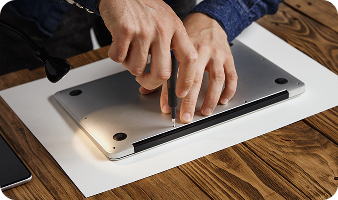
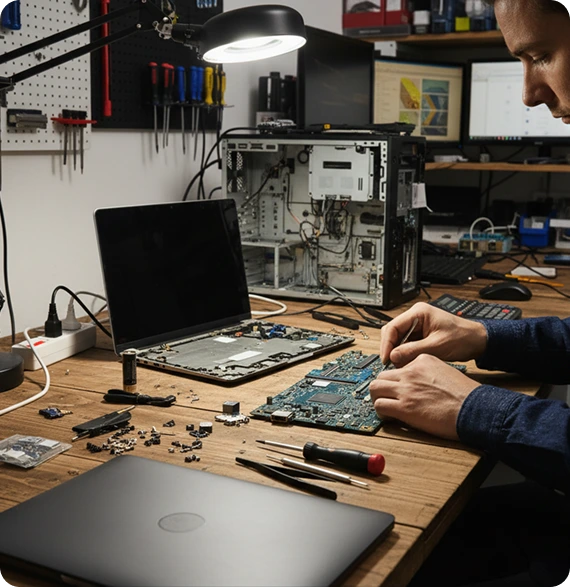
Laptops are different from desktops. Everything is squeezed into a thin chassis, batteries are sealed inside, screens are integrated with hinges, and keyboards are built into the body. Repair work on laptops requires more precision, more specialized tools, and more experience than typical computer work. Most shops can’t do laptop screen replacements or motherboard repairs because they don’t have the equipment.
We’ve been repairing laptops in Albuquerque since 2016. MacBooks, Windows laptops, gaming laptops, and 2-in-1 convertibles. Hardware repairs, screen replacements, keyboard work, and board-level repairs.
Three things set our laptop repair work apart:
- Screen replacements on every brand: Most local shops won't replace laptop screens because they require specific parts and steady hands. We do them on every major brand.
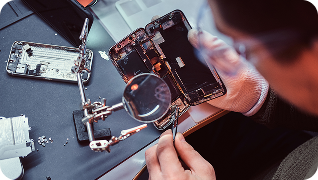
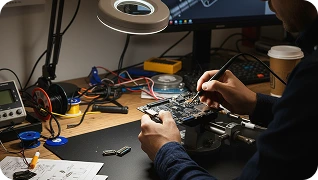
- Board-level laptop repair: Charging IC failures, water damage at the board level, and component-level work on laptops. Most shops can't do this.
- MacBook expertise: MacBook repairs require Apple-specific tools and knowledge. We have both.
For desktop computer repair, see our computer repair page.
Laptops We Repair
We service every major laptop brand:
If your laptop brand isn’t listed, call us. We likely service it.
Laptop Repairs We Handle
Whether your screen is cracked, your keyboard is dead, your battery won’t hold a charge, or your laptop won’t turn on, the issue almost always falls into one of these categories. Walk in for a free diagnostic.

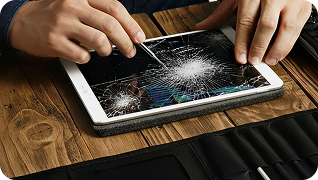
The most common laptop repair we do. Cracked screens, dead pixels, lines on the display, flickering, or screens that won't turn on. Laptop screens are model-specific, so parts often need to be ordered for less common laptops, but we keep MacBook screens and common Windows laptop screens in stock.

Laptop batteries lose capacity over time. If your laptop used to run for hours unplugged and now dies in 30 minutes, the battery is worn down. Most modern laptops have batteries sealed inside, requiring opening the laptop to replace. We do this in shop.

Sticky keys, dead keys, water damage to the keyboard, or worn-out keys from heavy use. Laptop keyboards are integrated with the chassis on most models, which makes replacement more involved than a desktop keyboard, but we handle it.

Laptops that won't charge unless the cable is at a certain angle, charge intermittently, or don't charge at all usually have a damaged charging port. On laptops, the charging port is soldered to the motherboard, which means replacement is board-level work. We do this in shop.

Drinks spilled on laptops are one of the most common laptop disasters. The faster you bring it in, the better the chance of recovery. We open the laptop, clean the affected components, and address any board-level damage. Don't try to dry it yourself or turn it on, that often makes things worse.

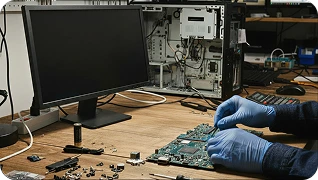
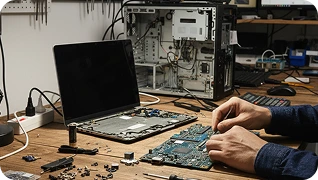
Laptops that won't turn on, won't charge, have failed components, or had water damage often have motherboard issues. We do board-level diagnostics and repair, including chip-level work that most local shops can't do. If another shop has told you your laptop isn't repairable, bring it to us for a second opinion.

The single best upgrade for an older laptop is swapping a traditional hard drive for an SSD. We do this in shop, transfer your data over, and the laptop feels brand new.

For laptops where the RAM is upgradable (not all of them are), we install the upgrade in shop.

Failed laptop hard drives, corrupted drives, or accidental data deletion. We attempt recovery before any other work. The diagnostic is free.

Cracked laptop hinges, broken display housing, or chassis damage from drops. We repair or replace what's needed.

Windows or macOS reinstalls when the system has become unstable. We back up your data first when possible.

Slow laptops, popups, redirects, or other malware symptoms. Same process as desktop, but with the laptop's specific configuration in mind.

Laptops that overheat, run loud, or thermal throttle usually have dust-clogged fans and dried-out thermal paste. A deep cleaning extends the laptop's life and brings performance back. Worth doing every 2 to 3 years.

The most common laptop repair we do. Cracked screens, dead pixels, lines on the display, flickering, or screens that won’t turn on. Laptop screens are model-specific, so parts often need to be ordered for less common laptops, but we keep MacBook screens and common Windows laptop screens in stock.

Laptop batteries lose capacity over time. If your laptop used to run for hours unplugged and now dies in 30 minutes, the battery is worn down. Most modern laptops have batteries sealed inside, requiring opening the laptop to replace. We do this in shop.

Sticky keys, dead keys, water damage to the keyboard, or worn-out keys from heavy use. Laptop keyboards are integrated with the chassis on most models, which makes replacement more involved than a desktop keyboard, but we handle it.

Laptops that won’t charge unless the cable is at a certain angle, charge intermittently, or don’t charge at all usually have a damaged charging port. On laptops, the charging port is soldered to the motherboard, which means replacement is board-level work. We do this in shop.

Drinks spilled on laptops are one of the most common laptop disasters. The faster you bring it in, the better the chance of recovery. We open the laptop, clean the affected components, and address any board-level damage. Don’t try to dry it yourself or turn it on, that often makes things worse.

Laptops that won’t turn on, won’t charge, have failed components, or had water damage often have motherboard issues. We do board-level diagnostics and repair, including chip-level work that most local shops can’t do. If another shop has told you your laptop isn’t repairable, bring it to us for a second opinion.

The single best upgrade for an older laptop is swapping a traditional hard drive for an SSD. We do this in shop, transfer your data over, and the laptop feels brand new.

For laptops where the RAM is upgradable (not all of them are), we install the upgrade in shop.

Failed laptop hard drives, corrupted drives, or accidental data deletion. We attempt recovery before any other work. The diagnostic is free.

Cracked laptop hinges, broken display housing, or chassis damage from drops. We repair or replace what’s needed.

Windows or macOS reinstalls when the system has become unstable. We back up your data first when possible.

Slow laptops, popups, redirects, or other malware symptoms. Same process as desktop, but with the laptop’s specific configuration in mind.

Laptops that overheat, run loud, or thermal throttle usually have dust-clogged fans and dried-out thermal paste. A deep cleaning extends the laptop’s life and brings performance back. Worth doing every 2 to 3 years.
If you’re not sure what’s wrong with your laptop, bring it in. The diagnostic is free.
Why Choose ABQ Phone Repair & Accessories for Your Laptop
We’ve been repairing laptops in Albuquerque since 2016. Here’s what sets us apart:

Most local shops won't do this because of the parts and skill required.

Charging port replacements, water damage cleanup, and component-level work that most shops can't do.

Apple-specific tools and knowledge for MacBook Pro and MacBook Air across all generations.

No charge to figure out what's wrong.

If another shop has told you your laptop isn't worth repairing, bring it to us for a second opinion.

Adam and the team have been doing this since 2016.
Repair Times and What to Expect
Laptop repair times depend on the issue and parts availability:
- Battery replacement: 1 to 2 hours
- Keyboard replacement: 2 to 3 hours
- Screen replacement: 1 to 3 hours when parts are in stock
- SSD upgrade with data transfer: Same day
- Charging port replacement (board-level): 2 to 4 hours
- Cooling system cleaning: 1 to 2 hours
- Virus removal: Same day
Repairs that take longer:
- Liquid damage and board-level work: Up to 48 hours
- Less common laptop models: Parts may need to be ordered
- Data recovery: Up to 24 to 72 hours
We’re upfront about timing and parts availability before you leave the laptop with us.
How to Bring in Your Laptop
Walk-ins welcome during business hours. For less common laptop brands or models, we recommend calling first so we can verify parts availability.
Schedule an appointment online or call us at +1 505-336-1907.
Before you come in:
- Back up important data if the laptop is still functional.
- Bring the laptop and the charger : The charger helps us diagnose charging-related issues.
- Know your account password (Windows, Apple ID, etc.) : Some repairs require account verification.
- Note your symptoms: When did the issue start? What were you doing? Does it happen consistently?
We’re located at 7101 Menaul Blvd NE, Suite C, right off I-40 at the Menaul exit, near Coronado Center. Across from Chili’s, near the Sheraton Hotel.
Frequently Asked Laptop Repair Questions
Do you repair MacBooks?
Yes. Every MacBook generation including the new M-series chips. MacBook repairs require Apple-specific tools and knowledge, which we have.
Can you replace a cracked MacBook screen?
Yes. MacBook Pro and MacBook Air screen replacements are done in shop. The repair takes 1 to 3 hours depending on the model.
My laptop got water on it. What should I do?
Turn it off immediately if it’s still on. Don’t try to charge it or turn it back on. Don’t put it in rice (this is a myth that doesn’t work and can cause more damage). Bring it to us as fast as possible. The faster we can open it and clean it, the better the chance of recovery.
How much does a laptop screen replacement cost?
Pricing depends on the model. MacBook Pro Retina screens cost more than budget Windows laptop screens. Call +1 505-336-1907 for an exact quote.
My laptop won't turn on. Can you fix it?
Usually, yes. Could be the battery, the charging circuit, the motherboard, or other components. We diagnose for free and tell you what’s wrong before any work begins.
Can you upgrade my old laptop to make it faster?
Often, yes. The biggest upgrade for older laptops is swapping a traditional hard drive for an SSD. RAM upgrades also help on laptops that allow them. We diagnose what’s possible and recommend what’s worth doing.
Should I repair my old laptop or buy a new one?
Depends on the laptop and the repair cost. Generally, if the repair cost is more than half the price of a comparable new laptop, replacement makes more sense. We give you the numbers and let you decide.
Do you offer mail-in laptop repair?
Yes. Contact us first so we can verify parts availability and walk you through how to ship the laptop safely.
Can you recover data from a dead laptop?
In most cases, yes. The hard drive or SSD often survives even when the laptop itself is dead. We can pull the drive, recover the data, and either return it on an external drive or transfer it to a new laptop.
Other Devices We Repair
Phones aren’t the only thing we fix. If you’ve got another device that needs work, we likely cover it.
All iPhone models with genuine Apple screens
Galaxy S, Note, A series, and foldables
Moto G, Edge, Razr, and other Motorola phones
Pixel 9, 8, 7, and earlier models
OnePlus 12, 11, 10 Pro, Nord series
Galaxy Tab, Amazon Fire, Surface, and more
PS5, Xbox, Switch including HDMI port soldering
Windows desktops and iMacs
PS4, PS5, Xbox, Nintendo Switch, including HDMI port soldering
MacBook and Windows laptops
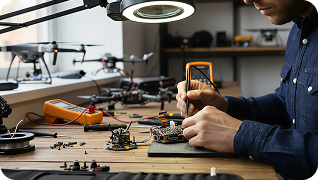
DJI and other consumer drones
Every Apple Watch generation
Get Your Laptop Fixed Today
Stop by the shop or call ahead so we can confirm parts. Free diagnostics, MacBook expertise, board-level repair capability, and most jobs finished within hours.
For other devices, see our full range of phone repair in Albuquerque services.