

Computer Repair Services
iMac, Windows desktop, and all-in-one computer repair. Hardware, software, virus removal, and upgrades. Free diagnostics on every computer.
Why Computer Owners Choose Us
When your computer goes down, you need it back fast. Whether it’s a slow Windows desktop full of malware, an iMac that won’t boot, or a custom-built PC with a hardware issue, we handle it.
We’ve been repairing computers in Albuquerque since 2016. Apple iMacs, Windows desktops, all-in-one computers, and custom builds. Hardware repairs, software fixes, data recovery, and upgrades.
Three things set our computer repair work apart:
- Hardware and software repairs both Most shops handle either hardware or software, not both. We handle both, which means we can diagnose any issue and fix it without sending you somewhere else.
- Free diagnostics: Bring in your computer and we'll tell you what's wrong before you commit to anything.
- Honest assessment: If your computer isn't worth repairing, we tell you. We'd rather lose a job than sell you a repair that doesn't make sense.
For laptops specifically, see our dedicated laptop repair page.
Computers We Repair
We service every major computer brand and type:
If your computer brand isn’t listed, call us. We likely service it.
Computer Repairs We Handle
Whether your computer is running slow, won’t boot, has a virus, or needs a hardware upgrade, we cover it. Walk in for a free diagnostic.

Computers running slow, popping up ads, redirecting to weird websites, or behaving strangely usually have malware. We do a thorough virus removal and clean the system, then install antivirus protection so it doesn't happen again. Most virus removals are completed within a few hours.

Old computers that have slowed down over time can usually be sped back up significantly. We clean out unnecessary startup programs, remove bloatware, check for hardware issues, and recommend upgrades if the hardware is the bottleneck. Often a simple tune-up brings a 5-year-old computer back to feeling new.

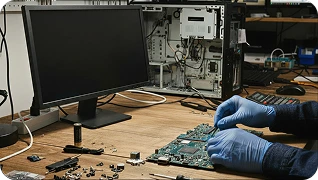
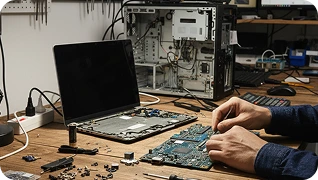
Computers that won't turn on, blue screen randomly, freeze, or have failed components. We diagnose hardware issues including failed hard drives, bad RAM, faulty power supplies, dying motherboards, and overheating issues, and we repair or replace what's needed.

The single best upgrade for an older computer is replacing a traditional hard drive with an SSD. We do this in shop, transfer your data over, and the result feels like a brand new computer. We also handle failed drive replacements with data recovery when possible.

Adding more RAM or larger storage extends the useful life of a computer for years. We diagnose what your computer can take and install the upgrade.

If your computer has failed and you have important data on it, we attempt recovery before any other work. Recovery success depends on the type of failure, but we have a high success rate for failed hard drives, water damage, and accidental deletions.

Windows reinstalls, macOS reinstalls, and clean installs after persistent issues. We back up your data first when possible, do the OS install, and restore your files.

Computers that don't turn on, randomly shut off, or have inconsistent power often have a failing power supply. We diagnose and replace power supplies on desktops.

Drinks spilled on a computer cause issues fast. The faster you bring it in, the better the chance of recovery. This usually involves opening the computer, cleaning the affected components, and addressing any board-level damage.

Cracked iMac screens are repairable. The repair is more involved than a phone or tablet screen because of how the iMac is constructed, but we handle them in shop.

Building a new gaming PC, upgrading components in an existing build, or troubleshooting a build that won't post. We help with all of it.

Computers running slow, popping up ads, redirecting to weird websites, or behaving strangely usually have malware. We do a thorough virus removal and clean the system, then install antivirus protection so it doesn’t happen again. Most virus removals are completed within a few hours.

Old computers that have slowed down over time can usually be sped back up significantly. We clean out unnecessary startup programs, remove bloatware, check for hardware issues, and recommend upgrades if the hardware is the bottleneck. Often a simple tune-up brings a 5-year-old computer back to feeling new.

Computers that won’t turn on, blue screen randomly, freeze, or have failed components. We diagnose hardware issues including failed hard drives, bad RAM, faulty power supplies, dying motherboards, and overheating issues, and we repair or replace what’s needed.

The single best upgrade for an older computer is replacing a traditional hard drive with an SSD. We do this in shop, transfer your data over, and the result feels like a brand new computer. We also handle failed drive replacements with data recovery when possible.

Adding more RAM or larger storage extends the useful life of a computer for years. We diagnose what your computer can take and install the upgrade.

If your computer has failed and you have important data on it, we attempt recovery before any other work. Recovery success depends on the type of failure, but we have a high success rate for failed hard drives, water damage, and accidental deletions.

Windows reinstalls, macOS reinstalls, and clean installs after persistent issues. We back up your data first when possible, do the OS install, and restore your files.

Computers that don’t turn on, randomly shut off, or have inconsistent power often have a failing power supply. We diagnose and replace power supplies on desktops.

Drinks spilled on a computer cause issues fast. The faster you bring it in, the better the chance of recovery. This usually involves opening the computer, cleaning the affected components, and addressing any board-level damage.

Cracked iMac screens are repairable. The repair is more involved than a phone or tablet screen because of how the iMac is constructed, but we handle them in shop.

Building a new gaming PC, upgrading components in an existing build, or troubleshooting a build that won’t post. We help with all of it.
If you’re not sure what’s wrong with your computer, bring it in. The diagnostic is free.
Why Choose ABQ Phone Repair & Accessories for Your Computer
We’ve been repairing computers in Albuquerque since 2016. Here’s what sets us apart:

Most shops only do one or the other. We handle both, which means we can solve issues end-to-end.

No charge to figure out what's wrong with your computer.

If your computer isn't worth repairing, we tell you. No upselling.

When drives fail, we attempt recovery before doing any other work that could risk your data.

Most local shops won't touch iMacs. We do.

Adam and the team have been doing this since 2016.
Repair Times and What to Expect
Computer repair times vary more than phone or tablet repairs because the issues are more diverse:
- Virus and malware removal: A few hours to same day
- Tune-up and software cleanup: Same day
- SSD upgrade with data transfer: Same day to 24 hours
- Hardware diagnostics: Same day for most, longer if parts need to be ordered
- Operating system reinstall: Same day to 24 hours
Repairs that take longer:
- Data recovery: Up to 24 to 72 hours depending on the type of failure
- Liquid damage and board-level repairs: Up to 48 hours
- Custom builds or part-dependent upgrades: Depends on parts
We’re upfront about timing before you leave the computer with us.
How to Bring in Your Computer
For desktops, you’ll need to bring the tower itself. You don’t need to bring the monitor, keyboard, or mouse unless the issue involves them. For all-in-ones and iMacs, bring the whole unit.
Schedule an appointment online or call us at +1 505-336-1907.
Before you come in:
- Back up important data if the computer is still functional. We do everything we can to preserve your data, but a backup is always the safest option.
- Note your symptoms. When did the issue start? What were you doing when it happened? Does it happen consistently or randomly?
- Bring the power cable for desktops.
We’re located at 7101 Menaul Blvd NE, Suite C, right off I-40 at the Menaul exit, near Coronado Center. Across from Chili’s, near the Sheraton Hotel.
Frequently Asked Computer Repair Questions
Do you repair iMacs?
Yes. Including iMac Pro and older iMac generations. iMac repairs require special tools and techniques because of how the screen and internal components are constructed, but we handle them in shop.
My computer has a virus. Can you remove it without losing my data?
Yes, in most cases. Virus removal usually doesn’t affect your personal files. However, severe infections or ransomware can sometimes require a more aggressive approach. We always preserve data when possible and tell you upfront if a clean install is necessary.
Can you recover data from a failed hard drive?
Often, yes. Recovery success depends on the type of failure (logical vs physical) and the drive’s condition. We attempt recovery before any other work and tell you what’s possible after diagnosis. The diagnostic is free.
How much does it cost to fix a computer?
It depends entirely on what’s wrong. Software issues like virus removal and tune-ups are typically much less than hardware repairs. We give exact quotes after the free diagnostic.
Should I repair my old computer or buy a new one?
Honest answer: depends on the computer and the repair cost. Generally, if the repair cost is more than half the price of a comparable new computer, replacement is the smarter choice. We give you the numbers and let you decide. No pressure either way.
Do you build custom PCs?
Yes. Whether you want a gaming PC built from scratch, want to upgrade an existing build, or have a build that won’t post, we help.
My iMac screen is cracked. Can you replace it?
Yes. iMac screen replacements are more involved than other screen repairs because of the iMac’s construction, but we do them in shop.
Do you offer mail-in computer repair?
For desktops, mail-in is logistically tricky because of the size. Call us first to discuss your situation. For laptops, see our laptop repair page for mail-in details.
Other Devices We Repair
Phones aren’t the only thing we fix. If you’ve got another device that needs work, we likely cover it.
All iPhone models with genuine Apple screens
Galaxy S, Note, A series, and foldables
Moto G, Edge, Razr, and other Motorola phones
Pixel 9, 8, 7, and earlier models
OnePlus 12, 11, 10 Pro, Nord series
Galaxy Tab, Amazon Fire, Surface, and more
PS5, Xbox, Switch including HDMI port soldering
Windows desktops and iMacs
PS4, PS5, Xbox, Nintendo Switch, including HDMI port soldering
MacBook and Windows laptops
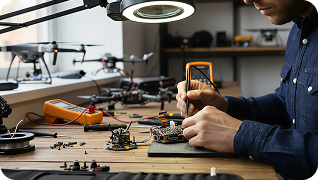
DJI and other consumer drones
Every Apple Watch generation
Get Your Computer Fixed Today
Stop by the shop or call ahead so we can confirm parts. Free diagnostics, hardware and software both, honest assessments.
For other devices, see our full range of phone repair in Albuquerque services.